
How to Track Streaming Premieres Efficiently
Most people juggle multiple streaming subscriptions without a clue when their favorite shows are about to drop. The average household now has access to 3 or 4 streaming platforms at the same time, which sounds like endless choice. But with so many premieres and updates rolling out across these services, it is surprisingly easy to miss a big release even if you watch every week. A smarter tracking system can actually do more than just save you time—it turns ordinary viewing into a constant stream of discoveries you never knew you were missing.
Table of Contents
- Step 1: Identify Your Preferred Streaming Services
- Step 2: Create a Dedicated Tracking System
- Step 3: Utilize Online Resources And Tools
- Step 4: Set Up Notifications For Upcoming Releases
- Step 5: Regularly Update Your Tracking List
Quick Summary
| Key Point | Explanation |
|---|---|
| 1. Track Your Streaming Services | Inventory your subscriptions to manage viewing effectively across platforms. |
| 2. Create a Custom Tracking System | Use digital tools to organize premiere dates and manage your viewing preferences. |
| 3. Set Up Notifications for Releases | Configure alerts within streaming services and apps to stay updated on new content. |
| 4. Use Online Resources and Tools | Explore websites and social media for comprehensive information on upcoming premiers. |
| 5. Regularly Update Your Tracking List | Dedicate time to review and modify your tracking list based on changing interests. |
Step 1: Identify Your Preferred Streaming Services
Tracking streaming premieres begins with understanding the landscape of your entertainment options. Knowing which streaming platforms you regularly use is crucial for creating an efficient tracking strategy. Most viewers today subscribe to multiple streaming services, making it essential to have a systematic approach to managing your viewing lineup.
Start by taking inventory of your current streaming subscriptions. Write down every platform you have access to, including major services like Netflix, Hulu, Amazon Prime Video, Disney+, and HBO Max, as well as any niche or specialty streaming platforms you might subscribe to. Many households now have 3-4 different streaming services, which means keeping track can quickly become overwhelming without a clear system.
For each streaming service, explore their dedicated features that can help with premiere tracking. Most platforms now offer personalized watchlists and recommendation systems that can alert you to new content. Explore our guide on what to stream tonight to understand how to maximize these built-in tracking tools. Some services provide email notifications or push notifications through their mobile apps that highlight upcoming releases and premieres.
Consider creating a simple tracking spreadsheet or using a dedicated entertainment tracking app to consolidate information from multiple platforms. This approach allows you to have a centralized view of upcoming shows and movies across different streaming services. Look for apps that integrate multiple streaming platforms and provide comprehensive premiere information, ensuring you never miss a show you’re excited about.
Remember that streaming services frequently update their content libraries and premiere schedules. Regularly reviewing and updating your tracking method is key to staying current. By taking the time to understand your preferred streaming platforms and their unique features, you’ll be well-prepared to efficiently track the latest and most exciting content releases.
Step 2: Create a Dedicated Tracking System
Now that you understand your streaming service landscape, developing a systematic approach to tracking premieres becomes crucial. A dedicated tracking system transforms your viewing experience from random discovery to intentional entertainment consumption. Think of this system as your personal entertainment command center, designed to keep you informed and excited about upcoming content.
Digital tools offer tremendous flexibility in creating your tracking system. Consider using a combination of digital calendars, spreadsheet applications, and entertainment tracking apps. Google Calendar works exceptionally well for this purpose, allowing you to create specific color-coded entertainment tracking calendars. You can add premiere dates, set reminder notifications, and even share your viewing schedule with friends who share similar interests.
Check out our guide on cable vs streaming to understand how modern entertainment tracking has evolved. When setting up your tracking system, include key details for each premiere: show or movie title, streaming platform, exact premiere date and time, genre, and any additional notes about why you’re interested. This comprehensive approach ensures you never miss a show you’re excited about.
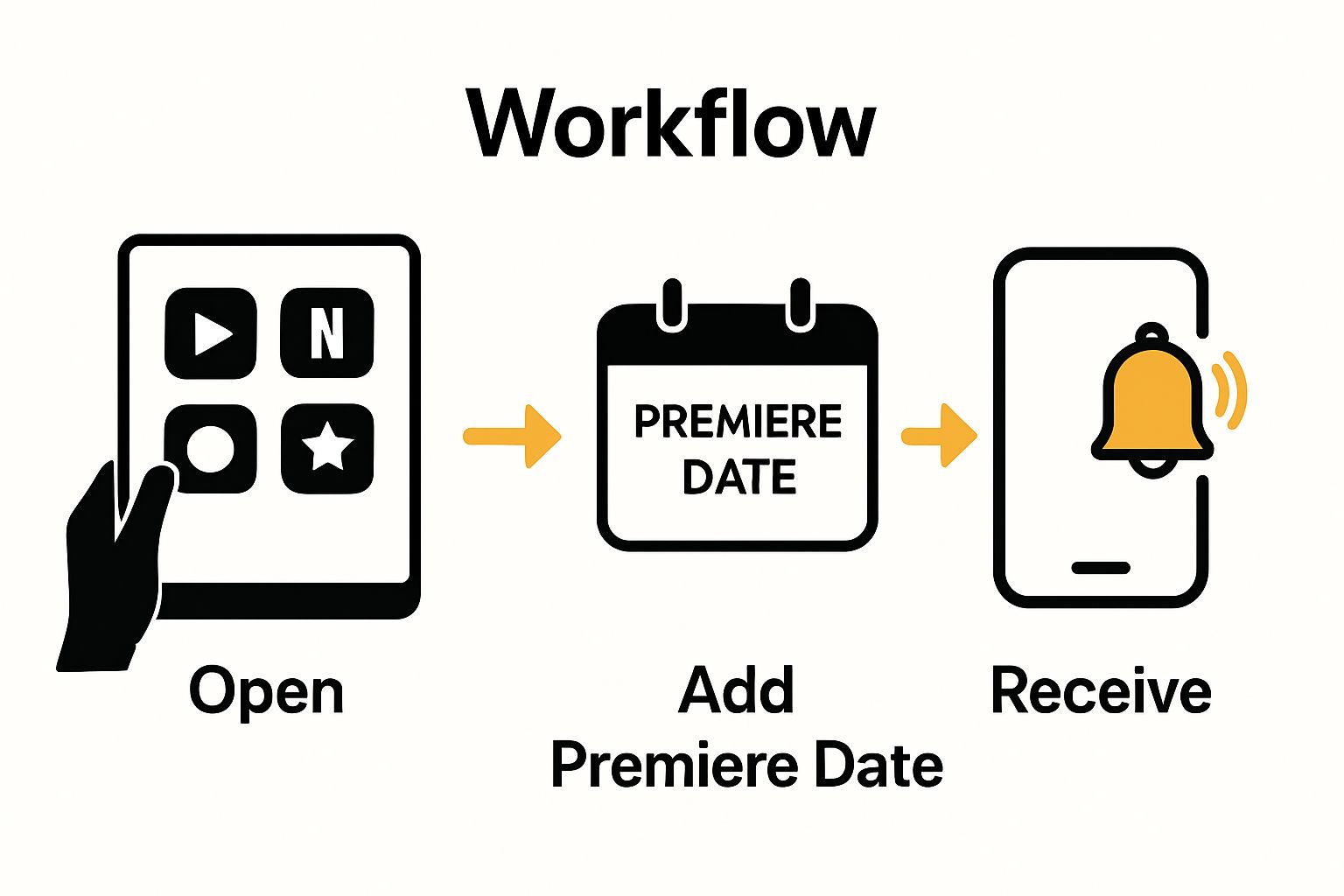
Spreadsheet applications like Microsoft Excel or Google Sheets provide another powerful tracking mechanism. Create columns for critical information such as show title, streaming service, premiere date, anticipated rating, and personal interest level. This method allows you to sort, filter, and quickly scan upcoming entertainment options. Some entertainment enthusiasts even develop complex tracking sheets with additional columns for critic reviews, runtime, and recommended watch times.
For those who prefer more specialized solutions, dedicated entertainment tracking apps can streamline the process. Apps like JustWatch, TV Time, and Trakt aggregate information from multiple streaming platforms, providing comprehensive premiere schedules and personalized recommendations. These apps often include social features, allowing you to connect with friends, share watchlists, and discover new content based on collective recommendations.
The key to an effective tracking system is consistency and regular maintenance. Set aside time weekly to update your tracking method, remove completed shows, add new discoveries, and refine your entertainment strategy. By creating a robust, personalized tracking system, you transform from a passive viewer to an active, informed entertainment consumer.
Here is a comparison table summarizing the pros and cons of various tracking methods mentioned in the article for organizing streaming premieres.
| Tracking Method | Main Features | Pros | Cons |
|---|---|---|---|
| Digital Calendars | Color-coding, reminders, event sharing | Flexible, integrates with daily schedule | Manual entry required |
| Spreadsheets | Custom columns, sorting/filtering, detailed tracking | Highly customizable, easy to update | Can be time-consuming to set up |
| Tracking Apps | Aggregates multiple services, social features | Automated, comprehensive, personalized | May require account integration |
| Streaming Watchlists | Platform-specific, recommendations, notifications | Native to service, easy to maintain | Limited to shows on that platform |
| Smart Assistants | Voice reminders, smart home integration | Hands-free, personalized suggestions | Limited functionality for some users |
Step 3: Utilize Online Resources and Tools
Online resources provide a powerful arsenal for tracking streaming premieres with precision and ease. The internet offers numerous platforms and websites dedicated to entertainment scheduling and premiere tracking, transforming how viewers discover and engage with new content. Understanding and leveraging these digital tools can significantly enhance your streaming experience.
Start by exploring comprehensive entertainment websites that aggregate premiere information across multiple platforms. Websites like IMDb, Rotten Tomatoes, and TV Guide offer detailed premiere calendars, upcoming release schedules, and comprehensive entertainment databases. Learn more about finding the perfect show on our streaming guide, which can help you navigate the vast world of digital entertainment resources.
Social media platforms and entertainment forums represent another critical tracking resource. Follow official streaming service accounts, entertainment news channels, and dedicated fan groups on platforms like Twitter, Reddit, and Facebook. These communities often share real-time updates about upcoming releases, exclusive premiere information, and insider details that might not be immediately available through traditional scheduling platforms.
Subscribe to entertainment newsletters and email alerts from streaming platforms and entertainment websites. Many services offer curated weekly or monthly newsletters highlighting upcoming premieres, exclusive content, and special releases. These digital communications provide a direct pipeline of information straight to your inbox, ensuring you remain updated on the latest streaming content without constant manual searching.
Podcasts and YouTube channels focused on entertainment reviews and previews can also serve as excellent premiere tracking resources. Many content creators specialize in discussing upcoming releases across various streaming platforms, offering previews, predictions, and comprehensive release calendars. By incorporating these multimedia resources into your tracking strategy, you gain access to diverse perspectives and early information about upcoming shows and movies.
Technological integration is key to an effective tracking approach. Many modern smartphones and smart home devices offer built-in entertainment tracking features. Digital assistants like Siri, Alexa, and Google Assistant can be configured to provide premiere notifications, set reminders for specific shows, and even suggest content based on your viewing history. By embracing these technological tools, you transform your entertainment tracking from a manual process to an intelligent, automated experience that adapts to your preferences.
This table outlines helpful online resources and tools described in the article for tracking streaming premieres and staying updated on new releases.
| Resource Type | Example Platforms | Purpose/Features |
|---|---|---|
| Aggregator Websites | IMDb, Rotten Tomatoes, TV Guide | Premiere calendars, release schedules, show databases |
| Social Media & Forums | Twitter, Reddit, Facebook groups | Live updates, exclusive information, fan discussions |
| Newsletters | Streaming service newsletters | Curated updates, upcoming releases, exclusive content |
| Podcasts & YouTube | Entertainment review channels | In-depth discussions, previews, release calendars |
| Smart Home Devices | Siri, Alexa, Google Assistant | Voice reminders, premiere notifications, content tips |
Step 4: Set Up Notifications for Upcoming Releases
Notification strategies are the heartbeat of efficient streaming premiere tracking. Setting up intelligent, personalized alerts transforms how you discover and engage with new content, ensuring you never miss an anticipated show or movie release. The key is creating a notification system that feels seamless and tailored to your specific entertainment preferences.
Start by configuring notifications directly within your streaming platform accounts. Most major services like Netflix, Hulu, and Disney+ offer customizable alert systems that can notify you about new releases in genres you enjoy. Explore our comprehensive guide on the future of TV to understand how these notification technologies are evolving. Enable email notifications, mobile push alerts, and in-app recommendations to create a multi-channel tracking approach.
Digital calendar applications provide another powerful notification mechanism. Google Calendar allows users to set personalized reminders for upcoming streaming releases, providing timely notifications that integrate seamlessly with your existing schedule. Create separate calendars for different streaming platforms, color-code your entertainment events, and set specific reminder times that work with your personal viewing habits.
Smart home devices and digital assistants offer an increasingly sophisticated approach to entertainment notifications. Configure Alexa, Siri, or Google Assistant to provide verbal updates about upcoming releases, set viewing reminders, and even suggest content based on your watching history.
These AI-powered systems can announce premiere times, provide brief show descriptions, and integrate with your broader digital ecosystem.
Consider using specialized entertainment tracking apps that aggregate notifications from multiple platforms. Apps like JustWatch, TV Time, and Trakt consolidate premiere information across different streaming services, offering comprehensive notification systems. These tools can send cross-platform alerts, track your viewing progress, and provide personalized recommendations based on your entertainment consumption patterns.
To maximize the effectiveness of your notification system, periodically review and adjust your settings. Delete outdated alerts, update genre preferences, and experiment with different notification channels. The most successful tracking strategy is one that adapts to your changing entertainment interests and consumption habits. By creating a dynamic, multi-layered notification approach, you transform from a passive viewer to an active, informed entertainment consumer who never misses an exciting premiere.
Step 5: Regularly Update Your Tracking List
Maintaining an accurate and current streaming premiere tracking list requires consistent effort and strategic management. Just like a garden needs regular tending, your entertainment tracking system demands periodic review and refinement to remain useful and relevant. Think of this process as digital housekeeping that keeps your entertainment strategy fresh and aligned with your evolving preferences.
Set a specific time each week or month dedicated to reviewing and updating your tracking list. This consistent maintenance window allows you to remove completed shows, add new anticipated releases, and reassess your entertainment priorities. Explore our guide on what to stream tonight to help inspire your content selection during these review sessions. During these updates, critically evaluate each entry: Has the premiere date changed? Are you still interested in the show? Do new recommendations merit inclusion?
Digital tools can significantly streamline the update process. Spreadsheet applications and entertainment tracking apps often provide sorting and filtering capabilities that make list maintenance efficient. Use features like color coding to highlight shows you’ve watched, are currently following, or want to add to your future viewing list. Many apps automatically archive completed content, helping you maintain a clean, organized tracking system without manual deletion.
Pay attention to the streaming platforms’ changing content libraries and release schedules. Streaming services constantly adjust their premiere dates, cancel shows, or add unexpected content. Follow entertainment news websites, official streaming platform announcements, and industry publications to stay informed about potential changes. This proactive approach ensures your tracking list remains accurate and reflects the most current entertainment landscape.
Consider implementing a rating or priority system within your tracking list. Assign scores or tags that indicate your level of anticipation for different shows and movies. This method helps you quickly identify which upcoming releases deserve immediate attention and which can be placed on a secondary watchlist. By creating a dynamic, layered tracking approach, you transform your list from a simple schedule into a personalized entertainment curation tool.

Remember that your tracking list is a living document that should adapt to your changing tastes and schedules. Do not be afraid to completely restructure your system if your current method no longer serves you effectively. The most successful entertainment tracking strategies are those that remain flexible, responsive, and aligned with your personal viewing habits and preferences.
Tired of Missing Streaming Premieres? Take Control of Your TV Schedule Today
If you have ever felt overwhelmed by the fast-paced world of streaming releases and struggled to keep up with your favorite premieres, you are not alone. Many entertainment fans find themselves searching for reliable tools that turn confusing schedules into simple, actionable plans. The article has shown you systematic ways to track streaming premieres, yet finding up-to-date showtimes and curated recommendations remains a major challenge for viewers who value their free time and want to make the most of it.
Why settle for scattered information when you can rely on a single destination made for passionate TV and movie fans? At Sparetimetv.com, you get access to real-time TV guides, movie schedules, and the latest streaming premieres—no guesswork required. Quickly browse what to stream tonight or discover how technology is shaping your viewing habits with our insider’s guide to the future of TV. Head to Sparetimetv.com now and transform your streaming experience into a smarter, stress-free journey. Instead of missing out, stay ahead and never let another premiere pass you by.
Frequently Asked Questions
How can I identify my preferred streaming services for tracking premieres?
Start by listing all your current streaming subscriptions, including popular platforms like Netflix, Hulu, and Disney+. This inventory will help you determine which services you want to monitor for upcoming content.
What is the best way to create a tracking system for streaming premieres?
Develop a systematic tracking approach using digital tools like spreadsheets or calendars. For example, set up a Google Calendar with color-coded events for each premiere date to maintain an organized overview.
How can I set up notifications for streaming premieres?
Configure alarm alerts within your streaming service accounts or use digital calendars to create custom reminders for upcoming releases. For instance, use color-coded reminders in your calendar to differentiate between genres or services.
How often should I update my tracking list for streaming premieres?
Regularly review your tracking list weekly or monthly to ensure its accuracy and relevance. Make it a habit to allocate 15-30 minutes during your review to add new content or remove completed shows.
What online resources can help me track streaming premieres more efficiently?
Explore entertainment websites and social media platforms that aggregate premiere information for multiple streaming services. Utilize online forums or newsletters for real-time updates on upcoming releases and community recommendations.
How can I streamline my tracking process across multiple streaming platforms?
Consider using dedicated entertainment tracking apps or tools that consolidate information from various streaming services. For example, create a single list within one app that includes premiere dates, show titles, and platforms for quick reference.