
Master TV Guide Navigation Tips for Ultimate Viewing
Finding what to watch on streaming platforms can feel like searching for a needle in a haystack these days. Most households now juggle multiple streaming subscriptions at once, making the sheer choice overwhelming instead of fun. But get this. The real secret to loving your nightly TV time is not about adding more channels or apps. It is about mastering your TV guide navigation so every click gets you closer to the perfect show.
Table of Contents
- Step 1: Identify Your Preferred Streaming Platforms
- Step 2: Customize Your TV Guide Display Settings
- Step 3: Utilize Search Functions Effectively
- Step 4: Organize Your Watchlist Strategically
- Step 5: Explore Channels And Categories Intentionally
- Step 6: Review And Refresh Your Navigation Skills Regularly
Quick Summary
| Key Point | Explanation |
|---|---|
| 1. Identify preferred streaming platforms | Assess current subscriptions to find the best services aligning with your entertainment preferences. |
| 2. Customize TV guide display settings | Tailor the guide’s visual layout to streamline navigation and enhance viewing experience. |
| 3. Master search functions | Use advanced search capabilities to quickly find specific content across platforms. |
| 4. Organize your watchlist strategically | Create categories within your watchlist to match different viewing moods and urgency. |
| 5. Review navigation skills regularly | Periodically reassess and update your streaming navigation to adapt to changing preferences and platform updates. |
Step 1: Identify Your Preferred Streaming Platforms
Successful TV guide navigation begins with understanding your personal streaming ecosystem. Not all platforms are created equal, and selecting the right ones can transform your viewing experience from frustrating channel surfing to precise entertainment selection. Your goal in this first step is to create a strategic map of the streaming services that best match your entertainment preferences.
Start by taking inventory of the streaming platforms you currently access. Most households now subscribe to multiple services, ranging from popular options like Netflix and Hulu to niche platforms catering to specific genres or interests. Consider creating a simple spreadsheet or digital list that tracks your current subscriptions, including monthly costs and the unique content libraries each platform offers. This helps you understand your current viewing landscape and identify potential gaps or redundancies in your entertainment options.
To make informed decisions, research the exclusive content and features of different streaming platforms. Some services specialize in specific genres like documentaries or international films, while others provide broad entertainment catalogs. Check out our guide on what to stream tonight to understand how different platforms curate their content. Pay attention to factors beyond just the number of shows: streaming quality, user interface, device compatibility, and personalized recommendation algorithms can significantly enhance your viewing experience.
Do not overlook free or bundled streaming services that might already be part of your existing subscriptions. Many cable packages, mobile plans, and credit card rewards programs include streaming benefits that users often forget about. By conducting a comprehensive review, you might discover additional entertainment options without increasing your monthly expenses.
Here is a summary table of popular streaming platforms as discussed in the content, with their key features to help inform your selection process.
| Platform | Unique Content/Genres | Pricing Structure | Device Compatibility |
|---|---|---|---|
| Netflix | Broad entertainment, originals, drama | Monthly subscription | Most smart TVs, devices |
| Hulu | Recent shows, exclusive series | Monthly/ad-supported | TV, streaming devices |
| Niche Services | Documentaries, international films | Varies/free/bundled | Depends on provider |
| Bundled/Free | Bonus with cable, phone, cards | Often included | Varies, usually broad |
Verify your selections by asking yourself key questions: Does this platform consistently offer content I enjoy? Are the shows and movies aligned with my interests? Is the monthly cost justifiable based on the content library? Your personalized streaming platform lineup should feel like a curated entertainment experience tailored specifically to your tastes.
Step 2: Customize Your TV Guide Display Settings
Customizing your TV guide display settings transforms a generic viewing experience into a personalized entertainment command center. After identifying your preferred streaming platforms, the next critical step is tailoring the visual interface to match your specific viewing habits and preferences. This customization is not just about aesthetics but about creating an intuitive navigation system that saves time and reduces frustration.
Begin by exploring the display settings of your primary TV guide interface, whether that is through your cable provider, streaming device, or smart TV platform. Most modern interfaces offer extensive customization options that allow you to control everything from grid density to color schemes. Look for settings that enable you to filter content by genre, hide channels you never watch, or prioritize specific types of programming. Learn more about understanding TV guide functions to maximize these customization opportunities.
Consider your typical viewing patterns when adjusting display settings. If you primarily watch evening shows, configure the guide to highlight primetime programming more prominently.
For sports enthusiasts, create shortcuts that quickly display live game schedules. Some advanced TV guides even allow you to set up custom watchlists that automatically track upcoming episodes of your favorite series, effectively turning your guide into a personalized entertainment scheduler.
Technology has made TV guide customization incredibly sophisticated. Take time to explore features like thumbnail previews, which let you peek at current programming without leaving your guide view, or advanced filtering that can sort content based on critic ratings, popularity, or personal viewing history. Pay special attention to parental control settings if you have children, as these can help create age-appropriate viewing experiences.
Verify your customization by running a quick test: Can you quickly find the content you want? Does the guide feel more intuitive and less cluttered? A well-configured TV guide should feel like an extension of your entertainment preferences, reducing the time spent searching and increasing the time spent enjoying your favorite shows. Remember, the goal is not just visual appeal but creating a functional navigation tool that enhances your overall viewing experience.
Step 3: Utilize Search Functions Effectively
Mastering search functions is the secret weapon of savvy TV viewers, transforming your guide from a passive directory into an active entertainment discovery tool. After customizing your display settings, learning to navigate search interfaces becomes crucial for finding exactly what you want to watch, when you want to watch it. Modern TV guides offer far more sophisticated search capabilities than traditional channel surfing.
Start by understanding the depth of search functions across your chosen platforms. Most advanced TV guides now include multi-dimensional search options that go beyond simple title matching. You can typically search by actor, director, genre, release year, and even specific keywords. Explore our guide on finding the perfect show tonight to understand how powerful these search tools can be. Pay special attention to platforms that offer advanced filtering, allowing you to narrow down results based on multiple criteria simultaneously.
Develop a strategic approach to searching that maximizes efficiency. Instead of typing entire show titles, use partial names or unique identifying keywords. Some guides now include predictive search functionality that suggests content based on your viewing history. Experiment with different search strategies: try searching by an actor’s name to discover all their available content, or use genre tags to uncover hidden gems you might have overlooked.
Technology has made search functions increasingly intelligent. Many modern TV guides now incorporate natural language processing, meaning you can use conversational phrases like “show me comedy movies from the last five years” or “find sci-fi series with high ratings.” Take time to explore these advanced search capabilities, which can dramatically reduce the time spent hunting for entertainment and increase your actual viewing pleasure.
Verify the effectiveness of your search skills by setting a simple challenge: Find a specific type of content within two minutes. Can you quickly locate a critically acclaimed drama from the past year? Can you find all movies featuring a particular actor? A truly mastered TV guide search function should feel like having a personal entertainment concierge at your fingertips, ready to instantaneously surface exactly the content you desire.
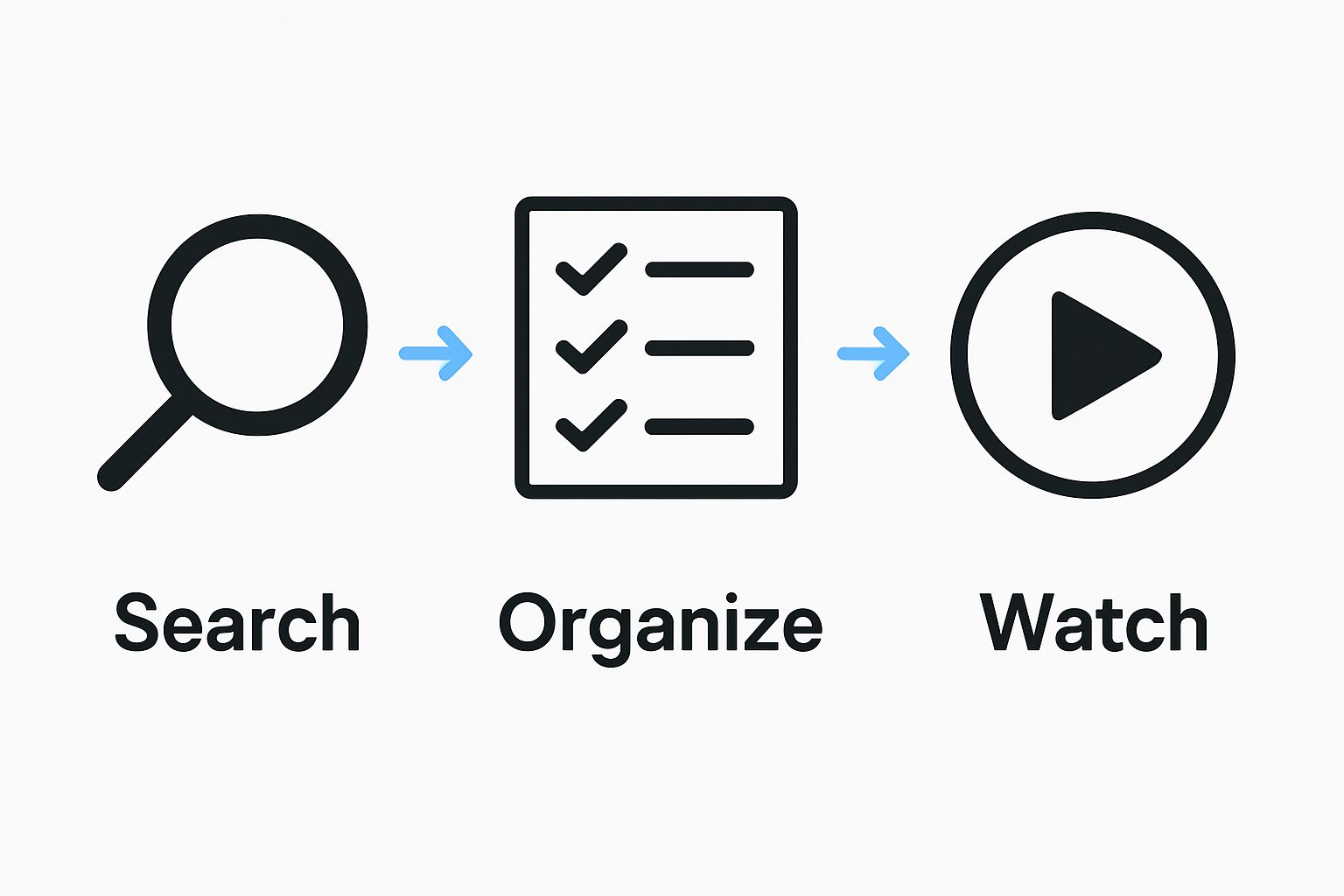
Step 4: Organize Your Watchlist Strategically
A well-curated watchlist transforms your entertainment experience from random browsing to purposeful viewing. After mastering search functions, the next critical step is developing a strategic approach to managing your content queue. Your watchlist is more than just a collection of titles it is a personalized roadmap of your entertainment journey.
Begin by establishing clear organizational principles for your watchlist. Consider creating multiple categories that reflect different viewing moods and purposes. You might develop sections like “Weekend Binge Series,” “Quick Weeknight Watches,” “Critically Acclaimed Films,” or “Shows to Watch with Friends.” This categorization helps you match content to specific time windows and emotional states, making your entertainment selection more intentional. Discover more about streaming premiere strategies to enhance your watchlist management.
Implement a dynamic prioritization system within your watchlist. Not all content should be treated equally some shows have time-sensitive recommendations, upcoming finale seasons, or limited streaming availability. Use features like priority tags or color-coding to highlight urgent or time-sensitive content. Many modern streaming platforms offer built-in recommendation algorithms that can help you refine your selections based on viewing history and critical ratings.
Technology has made watchlist management incredibly sophisticated. Take advantage of cross-platform synchronization options that allow you to maintain a consistent watchlist across different devices and streaming services. Some advanced systems even provide notifications about upcoming episodes, expiring content, or new seasons of shows you have previously enjoyed. Treat your watchlist as a living, evolving collection that reflects your changing entertainment preferences.
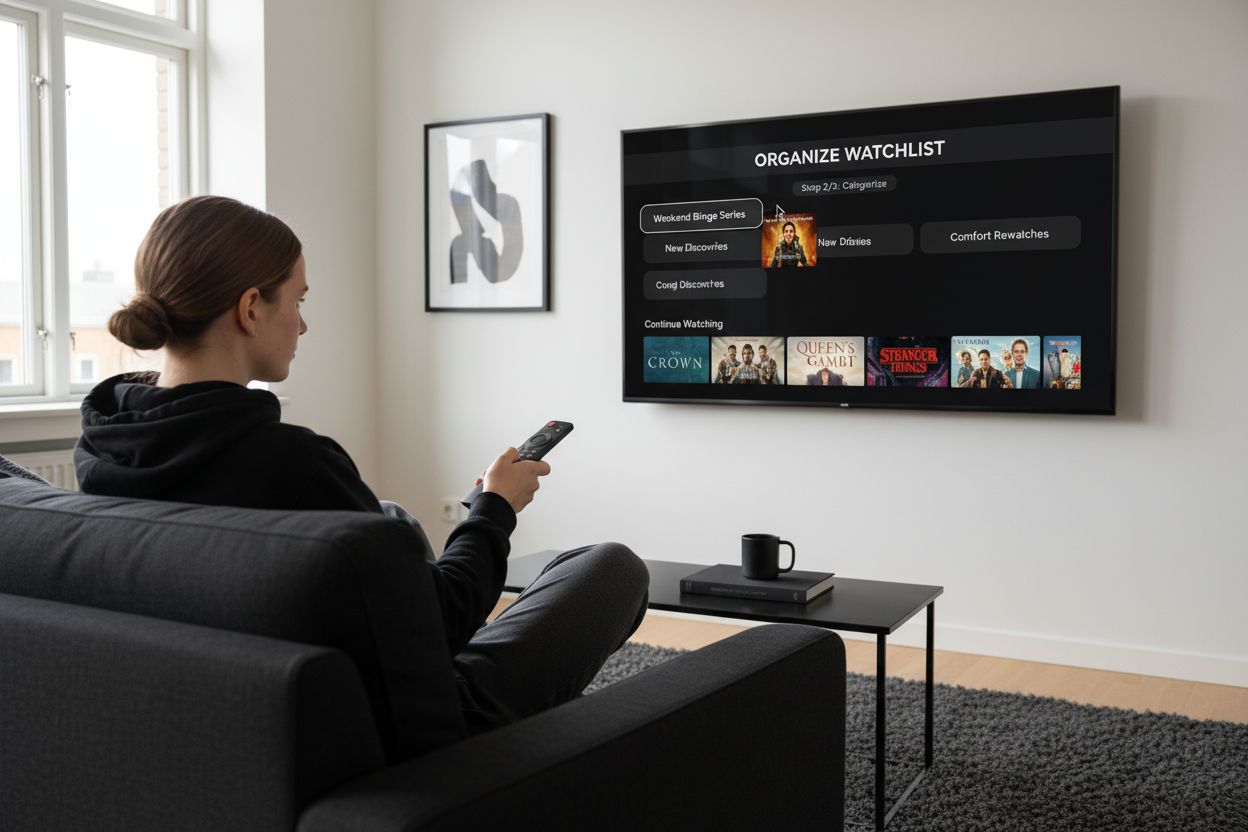
Verify the effectiveness of your watchlist by conducting a quarterly review. Ask yourself: Does this list still represent my current interests? Have I been consistently engaging with the content I have saved? A well-organized watchlist should feel like a curated entertainment library that excites and motivates you, rather than an overwhelming collection of forgotten recommendations. The goal is to create a system that makes choosing what to watch effortless and enjoyable.
This checklist table will help you verify effective watchlist organization and ensure your entertainment library stays purposeful and up to date.
| Verification Step | Description/Outcome |
|---|---|
| Quarterly review completed | Reviewed and updated watchlist for current interests |
| Engaged with saved content | Consistently watched or removed items not of interest |
| Categories reflect viewing moods | Organized by themes like binge, quick watch, or social |
| Prioritization system in use | Used tags or color-coding for urgent/expiring content |
| Cross-device synchronization working | Watchlist is the same across all platforms/devices |
| Notifications enabled (if available) | Receive alerts for new episodes or expiring content |
Step 5: Explore Channels and Categories Intentionally
Navigating through TV channels and categories is an art form that goes beyond mindless scrolling. After organizing your watchlist, the next crucial step is developing a strategic approach to exploring content across different channels and genre categories. Your goal is to transform channel surfing from a passive activity into an intentional discovery process.
Start by understanding the nuanced landscape of channel categories. Modern TV guides offer far more sophisticated genre classifications than traditional broad labels like “drama” or “comedy.” Look for subcategories that reflect more specific viewing experiences such as “crime documentaries,” “international indie films,” or “science fiction with strong female leads.” Check out our guide on discovering tonight’s programming to understand how to leverage these detailed categorizations effectively.
Develop a systematic exploration strategy that pushes you beyond your comfort zone. Many viewers unknowingly limit themselves to familiar genres and channels. Set a monthly challenge to explore at least two channels or categories you would not typically watch. This approach not only broadens your entertainment palette but also helps you discover unexpected content gems. Pay attention to recommendation sections and curated collections that highlight critically acclaimed or trending shows across different categories.
Leverage technological tools that make category exploration more intelligent and personalized. Many advanced TV guides now offer machine learning algorithms that suggest content based on your viewing history while simultaneously introducing you to new genres and channels. Look for platforms that provide contextual recommendations connecting shows through themes, storytelling styles, or shared creative talents. This approach turns channel exploration into an engaging, educational experience that continuously expands your entertainment horizons.
Verify the effectiveness of your channel exploration by tracking your viewing diversity. A successful strategy means you are consistently engaging with content outside your default preferences. Your TV guide should feel like a dynamic portal to new worlds, not a restrictive menu. The ultimate goal is creating an entertainment experience that challenges, surprises, and consistently delights you.
Step 6: Review and Refresh Your Navigation Skills Regularly
Mastering TV guide navigation is not a one-time achievement but an ongoing process of adaptation and learning. Technology evolves rapidly, and streaming platforms continuously update their interfaces and features. Regular review and skill refreshment are essential to maintaining an optimal entertainment discovery system. Think of your TV guide navigation skills like a digital muscle that requires consistent training and flexibility.
Schedule quarterly review sessions dedicated to reassessing your TV guide navigation strategies. During these sessions, critically examine your current approach and identify areas for improvement. Explore our insights on the future of TV to stay informed about emerging trends and technologies. Pay attention to new features introduced by your streaming platforms, changes in interface design, and emerging content recommendation algorithms that could enhance your viewing experience.
Develop a systematic approach to updating your navigation skills. Start by documenting your current viewing habits, favorite discovery methods, and pain points in your entertainment selection process. Many viewers do not realize how much their content preferences change over time. Technology now offers sophisticated tracking tools that can help you understand your evolving entertainment consumption patterns. Look for platforms that provide comprehensive viewing analytics, which can offer insights into your genre preferences, viewing times, and content exploration tendencies.
Technology has made skill refreshment more accessible than ever. Take advantage of tutorial sections within your TV guide interfaces, online webinars, and platform-specific user guides that explain new features. Many streaming services now offer interactive tutorials that walk you through advanced navigation techniques. Treat learning as an ongoing adventure, not a chore. Consider joining online communities or forums dedicated to entertainment navigation where users share tips, tricks, and insights about maximizing their viewing experiences.
Verify the effectiveness of your review process by measuring your content discovery satisfaction. Are you consistently finding shows that excite and engage you? Do you feel more confident navigating complex streaming interfaces? A successful navigation skill refresh means transforming your TV guide from a simple directory into a personalized entertainment concierge that continuously adapts to your changing preferences.
Turn TV Guide Confusion Into Effortless Entertainment With Sparetimetv.com
Are you frustrated with endless scrolling, confusing search results, or missing out on the newest and top-rated shows despite your best efforts to master TV guide navigation? Many readers struggle to manage multiple streaming platforms, keep track of premiere dates, or quickly find tonight’s trending content. You want a smarter, easier way to access accurate schedules, curated recommendations, and real-time updates that suit your personal viewing tastes.
Unlock a seamless viewing experience now. Explore Sparetimetv.com and discover how our primetime TV guides and exclusive streaming updates transform how you find shows and movies. Get reliable schedules, expert picks, and data-driven insights in one place. Save time and never miss your next favorite show. Visit Sparetimetv.com today and experience the ultimate solution for TV and movie fans ready to take control of their entertainment.
Frequently Asked Questions
How can I identify the best streaming platforms for my viewing preferences?
Start by taking an inventory of the streaming services you currently use and their associated content libraries. Create a simple list or spreadsheet that highlights your subscriptions and monthly costs; this will help you identify any gaps or redundancies in your viewing options.
What are the key settings I should customize in my TV guide display?
Focus on adjusting display settings like grid density, channel filters, and color schemes to match your viewing habits. Explore your TV guide’s settings to prioritize genres or programming types that you watch most often, making navigation faster and more intuitive.
How do I effectively use search functions in my TV guide?
Leverage advanced search capabilities by using filters for actor names, genres, or even specific keywords to find content quickly. Experiment with partial titles or unique identifiers to enhance your search efficiency, aiming to locate desired shows within two minutes.
What is the best way to organize my watchlist?
Establish categories such as “Weekend Binge Series” or “Shows to Watch with Friends” to manage your watchlist strategically. Incorporate prioritization methods like color-coding for urgent content, enabling you to easily identify what to watch next on specific days.
How can I explore channels and categories more intentionally?
Develop a monthly challenge to explore at least two channels or categories that you typically don’t watch. Utilize nuanced genre classifications within your TV guide to push yourself beyond familiar choices, enhancing your overall entertainment experience.
How often should I review and refresh my navigation skills?
Schedule quarterly review sessions to assess your current TV guide navigation strategies and identify areas for improvement. Use these sessions to document changes in your viewing habits and actively explore new features introduced by your streaming platforms.